





I'm constantly finding myself jotting down my blog address on a napkin or random wadded up receipt from my purse for people. I'm also a mommy and always wishing I had a mommy business card... You may laugh now but you will think of this post next time you are digging for a scrap of paper to jot your name and number on for someone. {maybe..lol}
I decided it was time to make my card.
Love, Love, Love these
This is so, so simple and took me less than 10 minutes. Really...it was so simple I almost skipped sharing this.
Keren at Free Pretty Things For You {my most favorite place for images EVER} has a free download of both of the images I used to make these cards.
- Click Here to download the images. Save to your computer.
- Open Picnk and upload the image. If you're new to picnik it is amazing and FREE for most features. {I do have the paid version and it is well worth it.}
- Click on the create tab at the top and choose "text"'
- Type your text in the text box click "add"
- Choose your font and font color. {for mine I chose Love Ya Like A... and used the dropper to match the font color}
- Position and Resize.
- Do the same steps as above for adding your name and e-mail and any other details you would like
- Click "Save and Share"
- Done! Now resize and print {I used my Silhouette SD software to resize to a little under 2 X 3 inches, copied the image and filled up the page then printed them on cheap photo paper.}
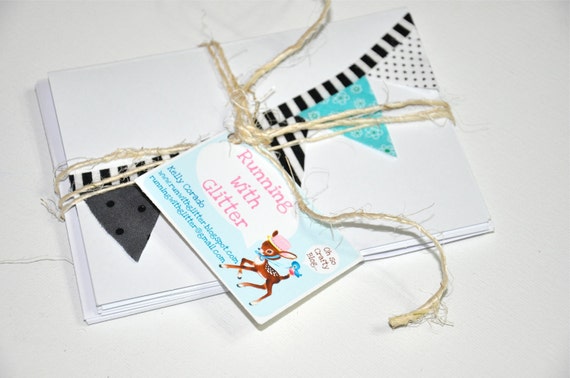
See I told you it was easy...And totally cute! Can you tell I'm kinda excited about my cards? It's the little things..... Bye for now and have a great day!


Love these! I need some mommy cards
ReplyDeleteAdorable, I have blog business cards but mommy ones would be great too.
ReplyDeleteThese are so cute and thanks for the reminder it's time Chameleon Girls had business cards.
ReplyDeleteYou know I am So going to brag about you :D!
ReplyDeleteSo adorable! Love Free Pretty Things!
ReplyDeleteThank you, thank you, thank you!!! I just opened an account with Picnik & I LOVE it!! So fun & user friendly! :)
ReplyDeleteI actually had someone give me a mommy card not that long ago and I thought it was a great idea. Thank you for sharing.
ReplyDeleteThanks for sharing Kelly!! So cute! I need to get this done as well. When you do it in picnik do you have to upload a picture first so you have a background (something to work with) then add the text and stuff?? I tried to go into picnik to create a handout and couldn't figure out how to do it cause it seemed like I needed to upload a picture first so I could get a background. Would love any advice! :-) Great job Kelly.
ReplyDeleteTrina, I just sent you an Elian but in case you miss it. I did my first project In picnik a while back and linked a couple if tutorial where I learned how to nav the site :) I hope that helps. If not please let me know. http://runwithglitter.blogspot.com/search/label/Pinkalicious%20Party
ReplyDeleteThe only way to get a solid layer or background is by covering your photo with a digital sticker.
Sorry for the above typos. I'm on my iPod and have fumble fingers :).
ReplyDeleteHi I LOVE the name of your blog and your header!!! I am a new follower from Petite Hermine's Linky Party.
ReplyDeleteFor Love of Cupcakes
very sweet, and so great to have on hand. I finally had some cards made myself and no more jotting down on little scraps of paper! thanks so much for sharing on Craft Schooling Sunday!
ReplyDeleteYou are right. Mommies DO need business cards.
ReplyDeleteThese are so sweet and frugal! Thanks for sharing the tutorial. Please stop by www.laughloveandcraft.com and link up to my Share the Wealth Wednesday Link Party! I'm your newest follower!
ReplyDeleteI love the cards!
ReplyDeleteI have soo been thinking of making blog business cards, but wasn't sure where to start!! Thank you so much for sharing this, you must have been reading my mind!! :)
ReplyDeleteThese are so cute! Thank you for sharing the how-to. I loooove Picnik! I have been wanting to make some cards for my blog, but it never occurred to me to make mommy cards...now I totally need some :) Awesome! Found you at Tip Junkie and will be back!
ReplyDeleteSo cute! Off to design a new card. Thank you for sharing!
ReplyDeleteAlyssa @ http://sweetsewnstitches.blogspot.com/
Yay! I've been wanting to make some and now I can!
ReplyDeleteNay
www.covertocoverandbetween.blogspot.com
check out what I love...
Love these!!!
ReplyDeleteThanks for sharing...
:)
Those cards are great "little things"! Glad you decided to post them :)
ReplyDelete-caroline @ c.w.frosting
So cute! I am so going to make myself some! Thanks!
ReplyDeleteSo cute. I made mommy cards for myself when my daughter was born & I think it's a great idea (of course!) but yours are much cuter than what I made!
ReplyDeleteI've never heard of this idea... HOW CLEVER! Thanks for the tutorial! Found you on Remodelholic.
ReplyDeleteI would love for you to link it up at my weekend Link Party, Once Upon a Weekend. Today is my first-ever party, and I am so hoping someone will participate! :)
Here's the link if you're interested:
http://familyeverafter.blogspot.com/p/link-party.html
Also, if you have a list of favorite link parties, I'd love to be included on Fridays. Thanks a ton!
Thanks for the information. I actually have business card stickers and I know how to use picnik. I usually just use it for blog buttons and headers. Just so you know, I have your blog mentioned under my favorite blogs on this page:
ReplyDeletehttp://katspurrfectboutique.blogspot.com/p/favorite-websites-and-blogs-i-read.html
Thanks, Katharine
Awesome! Thanks for sharing:) I found you at Tatertots and Jello.
ReplyDeleteThis is such a cute idea! Thank you for the inspiration!
ReplyDeleteThese are so wonderful!!!!!!!!!! I have 0 idea how to make it so the image is over and over on a page :(
ReplyDeleteits a cool idea.the only way to get a solid layer or background is by covering photo with a digital sticker.
ReplyDeletePlastic Card
Hey Kelly, I gave you a little shout out today on my blog!
ReplyDeleteYou can read it here! I hope it's okay with you:)
http://www.frugaliciousme.com/2011/09/totally-tasha-tuesday-call-me.html
XOXO,
Tasha
www.frugaliciousme.com
Some great ideas there, is one of the best I've seen up close. It is so complex and technically simple, and Apple really.
ReplyDeleteThat is so adorable i want to have some memory cards.
ReplyDeleteClear business cards
Nice work, they are lovely cards.
ReplyDeletePlastic Business Cards
I genuinely like your post information the way you put standard business card dimensions up the things…I have browse through the subject with awesome interest.
ReplyDeleteLove this idea! I'm a new follower because I couldn't stop gawking at all your posts. Cute stuff! Come check me out sometime. http://three65create.blogspot.com/
ReplyDelete